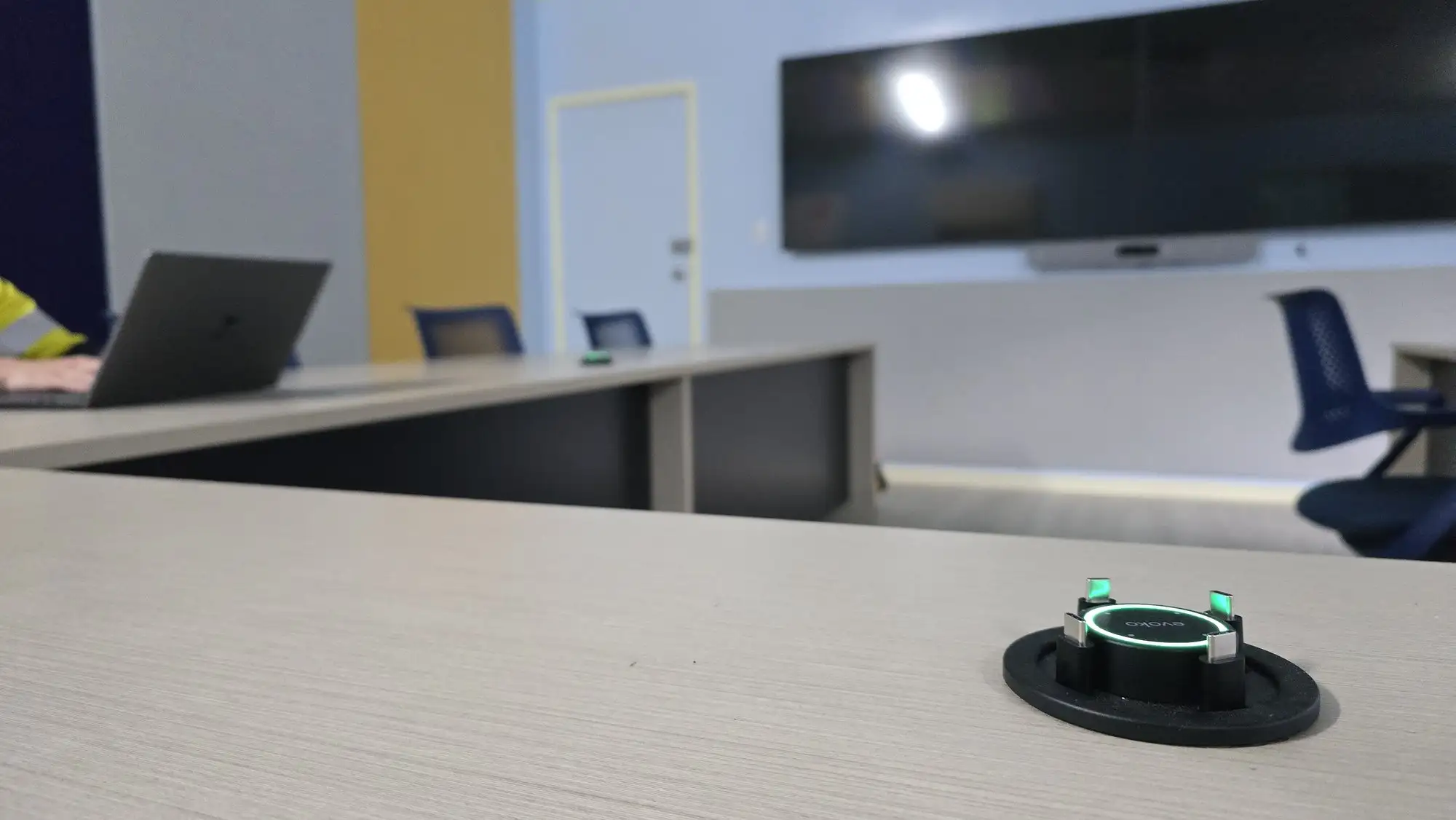
A number has been circulating this year: rooms where people bring their own meeting — laptop in, cable on the table, no button on the wall — are now being deployed at something like five times the rate of dedicated room systems. It comes from a trend list published by a conferencing hardware manufacturer, which is worth knowing before anyone repeats it as gospel, and it is probably directionally right anyway. Ask anyone who fits out offices what has changed since 2023 and you get the same answer: the cable on the table stopped being the fallback and became the plan.
Now put a second fact beside it. On 2 September, Jabra announced Reach, a single-cable connection for BYOD rooms that ships in October and uses HDBaseT to carry video, audio, USB and optional power up to 100 metres between the table and the equipment. Logitech has sold a two-box version of the same idea since 2024, running BYOD over ordinary category cabling at the same distance and pushing up to 100 watts back to the laptop. Lightware, Crestron, Icron, Extron and Barco all sell hardware whose job is to make a laptop on a table behave like a room.
Those two facts do not sit comfortably together, and that discomfort is the whole argument here: the industry has decided BYOD is the cheap option, and has simultaneously built an entire product category to make BYOD work. Both cannot be true. BYOD is an excellent answer to a flexibility problem. It is a poor answer to a budget problem, and the organisations that buy it as one end up with rooms that are unreliable and — the part almost nobody costs — invisible.
None of which is an argument for putting a room system in every space. It is an argument that the choice belongs in meeting room AV design, at the point where the table, the joinery and the cable path are still drawings, rather than in a procurement spreadsheet three weeks before handover.
The two metres nobody measures
Start with the physical layer, where most BYOD rooms actually fail and where nothing can be fixed later with a firmware update.
A passive USB-C cable running at 10 Gbps — USB 3.2 Gen 2, which is what a modern room camera wants — is good for about a metre. Drop to 5 Gbps and you get roughly two. The USB Implementers Forum stopped publishing hard maximum lengths some years ago and now specifies cables by electrical performance instead: signal attenuation and propagation delay. The practical effect for a meeting room is identical. Past a couple of metres, a passive copper cable is out of specification, and no amount of buying a nicer-looking one changes that.
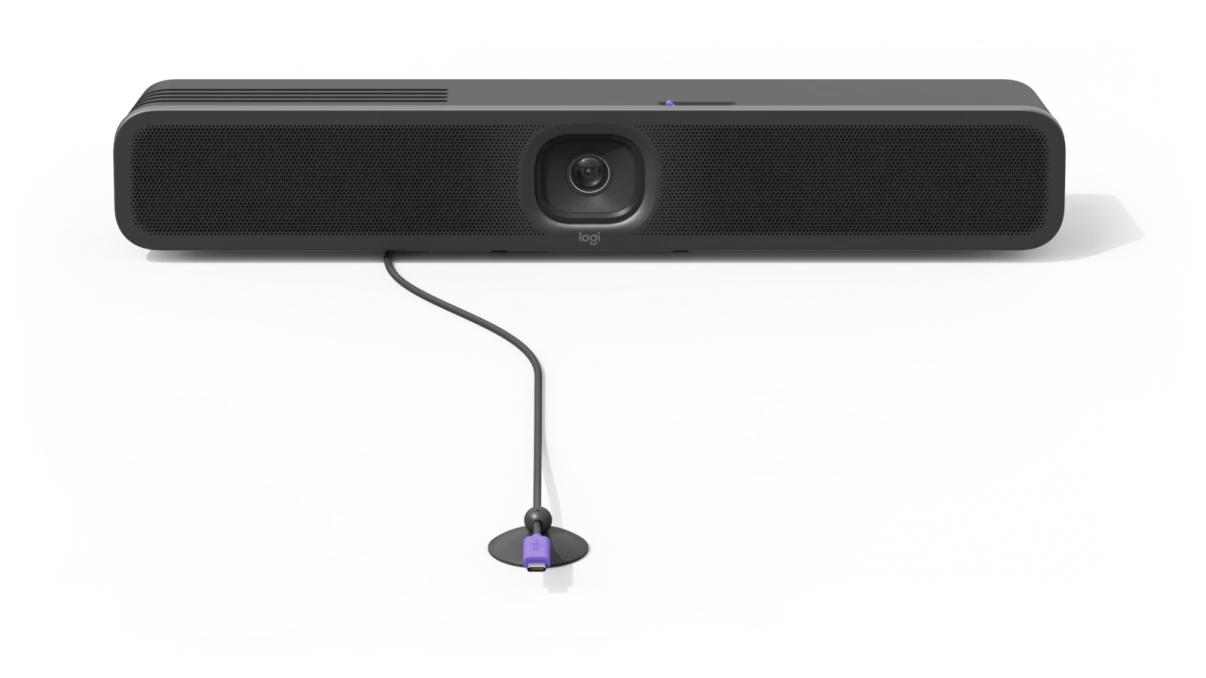
Now measure a boardroom table. The ones we work on are routinely four to eight metres long, and the bar is on the wall at the far end, above or below the display. The distance from the nearest laptop position to the camera is almost never under two metres, and from the far seat it can be ten. Any BYOD room with a table longer than a desk starts life outside the passive USB envelope.
The Two-Metre Rule. If the laptop sits more than two metres from the camera and microphones it needs to drive, you are not specifying a cable. You are specifying a system — an active or optical cable, or an extender over structured cabling, with its own power, its own failure modes and its own line on the budget. Draw it, price it and commission it like one.
What makes this worse than an ordinary out-of-spec install is that USB does not fail cleanly. A marginal link renegotiates. It drops to a slower mode, and the room’s camera quietly loses the bandwidth for its full capability — the multi-stream and panoramic modes that justified buying it. Audio starts and stops. The laptop charges, or does not, depending on which port the user chose. Nobody reports this as a fault, because from the user’s chair it reads as “the video was a bit ordinary today” — a defect that never becomes a ticket, never gets diagnosed, and slowly teaches a floor of people not to use the room.
The connector hides the problem. USB-C is a shape, not a capability: a given port may carry data only, or DisplayPort Alt Mode, or Power Delivery, or all three at different ceilings, and the plug looks identical in every case. The user has no way to tell and the room offers no diagnosis. This is why we run USB over structured cabling rather than long copper on tables of any real length, and why two Perth co-working boardrooms we built — Hub Australia at Nine The Esplanade and the Spacecubed boardroom and demo space — both have Icron USB extenders in them. Both are visitor-heavy rooms where a guest’s laptop is a first-class citizen rather than an exception. Neither is a cheap room. The extension hardware is a large part of why they work.
The conference room audio visual requirements nobody quotes
Here is the comparison most organisations make. A room system means a certified device plus a per-room subscription — a Teams Rooms licence billed monthly per device, or a Zoom Rooms licence billed annually per room. BYOD means none of that, because the meeting runs on the licence the user already has. Delete the room licence, delete the compute, keep the display and the bar. Obvious saving.
It is an obvious saving right up until you write down what BYOD actually requires, which is a list that never appears in the version of the quote that wins:
- A compliant cable path. An active cable, an optical cable, or a transmitter and receiver pair over structured cabling. This is a product with a model number, not an accessory.
- The structured cabling itself, pulled from the table to the equipment position, terminated and tested — a route through the floor or the joinery that somebody decided before the table was manufactured.
- Power at the table. A laptop connection that does not charge gets unplugged in the second hour of a workshop, and Power Delivery has to come from somewhere.
- Joinery and a dressed termination. A cable emerging from a hole is a cable that gets pulled out. A grommet, a puck or a flip-box is cabinetmaker work, scheduled with the furniture, not with the AV.
- Consumables. The table lead is the one part of a meeting room that a hundred different people physically yank every week. It is a wear item, and fleets without spares of the exact specified cable end up with someone’s laptop charger in the socket inside a year.
- A wireless path for the people who will not use the cable — always some — which is another product again, whether AirMedia wireless presentation or a platform’s own sharing mode.
Add those six and the “saving” narrows to the room licence and the compute, set against the extension product, the cabling, the joinery and the labour to install and commission all of it. In our experience specifying both, on any room larger than a huddle space, those two columns land close enough together that price should not be deciding the answer. Flexibility should.
Where BYOD is structurally cheaper is the small room: one or two seats from the bar, a short compliant cable, nothing to extend. That is a real saving and we specify it often. It is also the room where the argument never needed to be had.
The room that never logs in
The physical layer is the part that annoys people. The management layer is the part that costs organisations money for years without ever announcing itself.
A dedicated room system is a managed endpoint. It signs in, it reports, it can be patched and restarted by someone who is not in the building. Microsoft’s Teams Rooms Pro management portal monitors devices through telemetry signals designed to detect issues, raise alerts and feed automated ticketing — and the full suite of that management, along with space analytics, requires the Pro licence rather than the free Basic tier, which covers the first 25 rooms in a tenant with a narrower feature set. Zoom’s equivalent ships device management with remote monitoring, firmware and configuration inside the per-room licence. Whatever you think of subscription pricing, that is what the money buys: a room that can be seen.
A BYOD room signs in to nothing. There is no room account, no device object, no health signal, no firmware compliance report. The bar on the wall may have its own vendor management platform — and if it does, use it — but the meeting itself happens entirely on a laptop your organisation may not even own.
What you stop being able to see
The first loss is diagnostic. When a BYOD room has a bad week there is no log to read — only a user’s memory of a meeting, an unknown laptop and a driver stack nobody can inspect. We have spent whole afternoons in rooms like that reproducing a fault which turned out to be one laptop model’s USB-C port, and no version of that afternoon is cheaper than telemetry.
The second loss is strategic, and it is the one that has changed in the last two years. Organisations are now making real property decisions — how much floor space, how many rooms, what sizes, which floors to hand back — and they want occupancy and utilisation data to make them with. A managed room fleet produces that data as a by-product. A BYOD fleet produces nothing at all. The booking system will happily tell you the room was reserved; only the room can tell you whether anyone walked in.
Who gets the call at 8:55
There is a third thing, harder to put on a spreadsheet. A native room has an owner by default: it is a device, and when it misbehaves that is a ticket against an asset. A BYOD room’s failure is always ambiguous — the room, the cable, the laptop, the conferencing app, the guest’s corporate policy. Ambiguous faults do not get owned. They get endured.
That is the honest reason we push support arrangements like Focus Care hardest at BYOD-heavy fleets rather than at Microsoft Teams Rooms or Zoom Rooms sites. The managed room already tells someone it is unwell. The BYOD room needs a human to notice.
And note what this does to the original arithmetic. A BYOD room that is properly managed — a vendor platform watching the bar, a documented cable standard, spares on site, somebody named — lands close to what the room-system licence would have cost. The saving people are actually banking when they choose BYOD on price is not the saving of a licence. It is the saving of not managing the room at all, which is not a cheaper room. It is a different product.
Where BYOD belongs in a boardroom audio visual design
The counter-case is strong, and any integrator who pretends otherwise has not spent much time in the rooms.
Some spaces genuinely cannot assume the platform. Co-working floors and multi-tenant buildings host organisations with no shared standard. Client-facing suites exist so that the client’s meeting can happen, and the client’s meeting is on whatever their firm bought. Training rooms run from a presenter’s own machine half the time. In all of those, a room locked to one platform is not a premium room — it is an obstacle, and the workaround is somebody’s own webcam on a tripod, in front of a display that cost a great deal more.
Room systems also carry costs the BYOD case rightly points at: a per-room subscription that keeps running after the room is repurposed, a device that needs updating, and a platform decision that is awkward to reverse.
So the sharper version of the position is not “BYOD or native”. It is that every good room we build has one obvious primary path and one clearly labelled second path, and the design work is deciding which is which.
- Where the organisation has a single platform and the room gets used daily, make the platform native and give it a sanctioned side door — Swytch or equivalent — so the guest’s meeting still works without anybody improvising.
- Where the platform genuinely changes meeting to meeting, make BYOD primary and build it properly: a USB-C switcher like Taurus UCX, extension over structured cabling, power at the table, and a management platform watching the hardware.
The failure mode we are called to fix is almost never a wrong choice between those two. It is a room quoted as the first and built as the second — or a room where nobody chose, and the table simply grew a cable.
How to decide in one afternoon
Four questions, in this order, settle it for most rooms.
How far is the nearest laptop position from the bar? Measure it, do not estimate it. Over two metres, the cable becomes a system and belongs on the drawing and in the budget. This is the question that is impossible to answer later, because by then the table exists.
Who is in the room most of the time — your people, or other people’s? Staff on one platform point to native. A steady stream of visitors with their own laptops points to BYOD. Be honest about the ratio rather than designing for the impressive exception.
If this room is broken next Tuesday, who finds out first? If the answer is “a user, eventually”, you are choosing an unmanaged room, whichever technology is in it. Fix that answer before signing.
Will anyone want utilisation data for this floor within three years? If the property conversation is live, the room fleet is the instrument that measures it, and BYOD rooms do not read.
The BYOD trend is not wrong and it is not going to reverse. Laptops got good enough, bars got good enough, and people would rather bring their own meeting than learn another wall panel. What is wrong is the accounting attached to it — the belief that deleting a licence deletes a cost, when it mostly relocates the cost into cabling, joinery and a help desk that has no telemetry to work with.
Choose BYOD for flexibility, in the rooms where flexibility is the actual requirement, and then pay for it properly. That is what meeting room and boardroom AV design in Perth has to reckon with now: not which logo is on the room, but whether the cable path was drawn before the table was built, and whether anybody will know when it stops working.