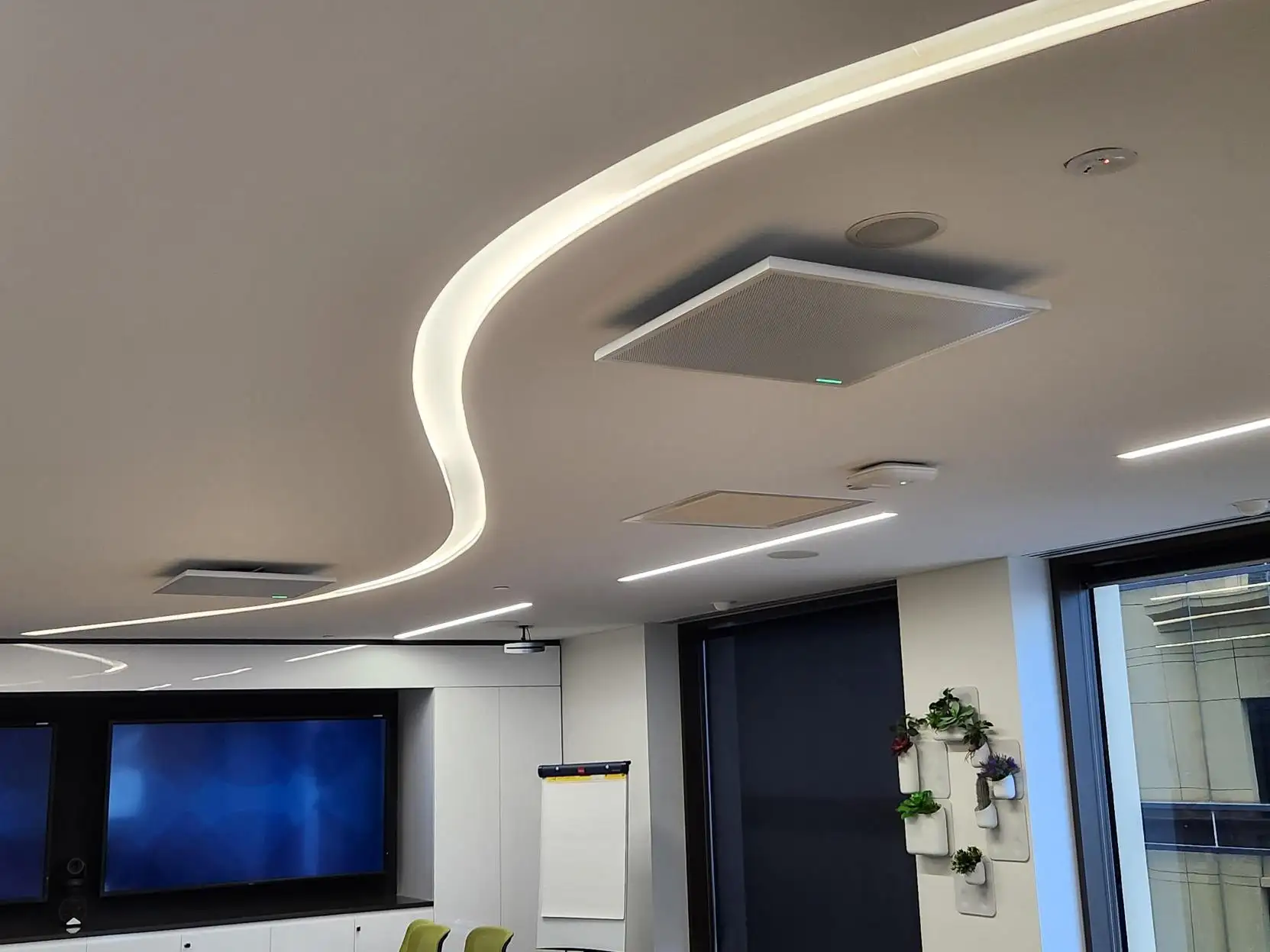
For a decade, a Microsoft Teams Room was a video endpoint: a camera, some microphones, a screen and a join button. Through 2026 that quietly stopped being true. The room now runs agents — software that takes its own notes, interprets between languages in real time, and works out which human at the table said which sentence.
August is the month this becomes concrete for a lot of Australian organisations. Microsoft’s Facilitator note-taking agent, which has been rolling out to Teams Rooms on Windows since late June, is scheduled to reach Teams Rooms on Android this month, with broad availability flagged for October. The Interpreter agent follows the same path. If your rooms are Android video bars — and in Perth, most are — this is the month the feature list on your existing hardware changes underneath you.
Here’s the honest integrator’s read: the agents are genuinely good, and almost none of the disappointment we expect to field over the next six months will be the agents’ fault. It will be licensing and microphones.
What has actually shipped
Cutting through the keynote language, this is the current state of the agent features in Teams Rooms, as published in Microsoft’s message centre notices and product documentation:
| Feature | What it does | Platform | Status |
|---|---|---|---|
| Facilitator agent | Live AI notes, decisions and actions for in-person meetings — no scheduled Teams meeting needed | Windows, Android to follow | Windows rolling out from late June 2026; Android from August, broad availability flagged for October |
| Interpreter agent | Real-time interpretation across nine languages, with optional voice simulation | Windows, Android to follow | Rolled out globally on Windows Jan–Feb 2026; Android planned August 2026 |
| Speaker recognition and attribution | Attributes the transcript line by line to the person who said it | Windows and Android | Available |
| Live transcription | Real-time speech-to-text on the room device | Android | Rolling out from April 2026 |
| Ad-hoc room reservation | A Reserve button on the console claims a free room on the spot | Android from mid-March 2026; Windows from late April 2026 | Rolling out, on by default |
| Cloud IntelliFrame | Splits the wide room shot into individual participant tiles for remote attendees | Windows and Android | Available |
The one worth pausing on is Facilitator. Every other item on that list improves a video call. Facilitator improves a meeting that has no remote participants at all — four people in a room with a whiteboard, walking out with a written record of what they decided. Microsoft’s documentation is specific about where that record lives: notes are stored in your own tenant’s SharePoint, and no data remains on the room device once the meeting ends.
That is the first genuinely new reason in years to put technology in a room that never hosts a video call.
Gate one: every single feature above is a Pro licence
There is no polite way to say this, so here it is plainly.
Facilitator, Interpreter, live transcription on Android, speaker attribution, ad-hoc reservation and Cloud IntelliFrame all require a Microsoft Teams Rooms Pro licence. Not Teams Rooms Basic. Not a user’s Microsoft 365 Copilot licence — Microsoft has confirmed that Interpreter in the room needs no additional Copilot licence, but it does need Pro on the room account.
If your organisation standardised on Basic licences during the last renewal to save money across a floor of rooms, none of this arrives. The hardware will be capable. The features will be documented. The room will simply not offer them, and the help-desk ticket will read “the AI doesn’t work in room 4.”
Two more licensing details that are easy to miss:
- Interpreter includes 20 hours of interpretation per room account per month. Beyond that, access is subject to available capacity. For a room that occasionally hosts an offshore partner, that is generous. For a room whose entire purpose is multilingual negotiation, it is a number to plan against, not ignore.
- Android Teams devices moved management homes. Microsoft migrated Android-based Teams Rooms, panels and phones from the Teams admin center to the Teams Rooms Pro Management portal, with a June 2026 deadline — and that portal is, again, a Pro entitlement. Estates that never sorted their licensing found their management tooling moving without them.
The rule: audit your room licences before you audit your room hardware. We now open every Teams Rooms conversation with the question “Basic or Pro?”, because the answer changes which rooms are worth touching at all.
Gate two: the agents are only as good as the microphone
This is the part the demo never shows, and the part we care about most.
Every agent on that list is downstream of one signal: the audio your room captures. Facilitator’s notes are a summary of a transcript. The transcript is a transcription of your microphones. Interpreter renders into Japanese whatever it believes it heard. Speaker attribution can only tell two directors apart if the microphones give it two distinguishable voices to work with.
Microsoft is refreshingly candid about this. Its guidance notes that speaker recognition is at its best with intelligent speaker hardware certified for Teams — devices built with multiple microphones specifically to maximise recognition accuracy and cut word error rate — while rooms using other microphones can still use cloud-based recognition, with the caveat that quality may not match dedicated hardware. In rooms where accurate transcription and attribution genuinely matter, Microsoft’s own advice is to assess purpose-built audio.
Translated into room design, the ranking is exactly what it has always been for human listeners — the agents just made the consequences visible:
| Room audio | What the agent hears | Realistic outcome |
|---|---|---|
| Bluetooth speakerphone on a 12-seat table | Distant, reverberant, overlapping | Notes full of “[inaudible]”, attribution guesswork |
| Video bar array at 3–4 metres | Good near the bar, thin at the far end | Head of table transcribed well; the other end approximated |
| Video bar plus extension mic pods | Every seat inside a pickup radius | Reliable transcription, workable attribution |
| Ceiling array or DSP table microphones | Even, close-perspective capture of every seat | Clean transcript, dependable attribution, interpretation worth trusting |
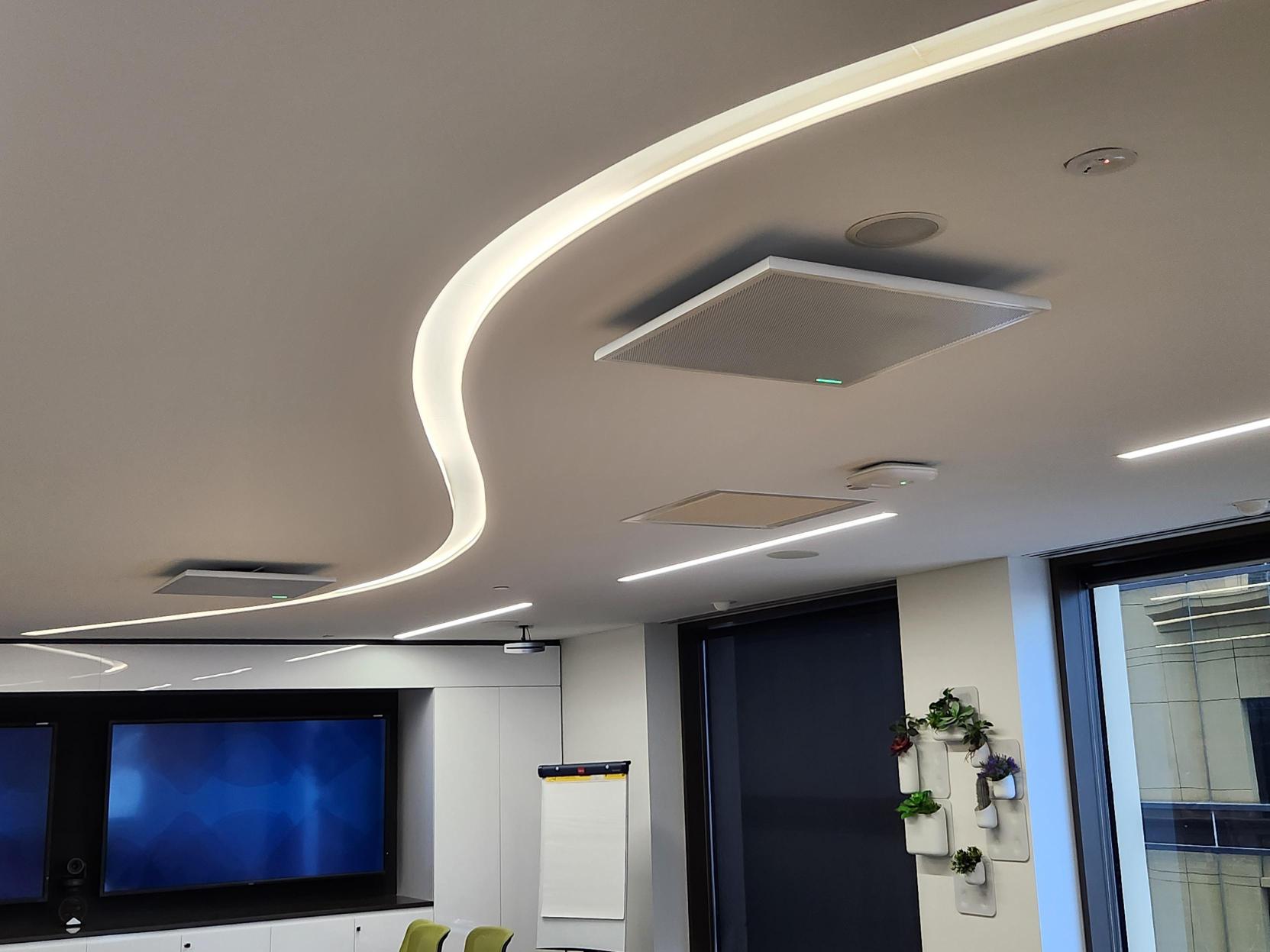
Rooms already built audio-first are about to look prescient. A boardroom running a Shure MXA920 ceiling array or one of Shure’s IntelliMix Room Kits will hand the agents a clean, per-seat signal and produce minutes you would actually circulate. A room where a single bar is asked to cover fourteen seats will produce a document somebody has to rewrite — which is worse than no document, because it has to be read carefully to be corrected.
And the same physics applies to the room itself. Glass walls, bare plasterboard and hard tables smear speech into reflections before any microphone hears it. We have argued for years that acoustic treatment belongs in the AV design rather than the apology afterwards. AI has now put a number on it: a reverberant room raises word error rate, and word error rate is the raw material of every summary, action item and translated sentence the room produces.
The rule: AI does not fix a bad room. It transcribes it, faithfully, and emails the evidence to everyone who missed the meeting.
Windows or Android: the choice just got sharper
Every Teams Rooms estate makes this call, and 2026 changed the maths.
Android — the Rally Bar MTR, the Yealink MeetingBar A40 and their peers — has been the sensible default for most rooms for years: no PC to patch, no Windows updates at 8:55 am, lower total cost across a floor. That argument still holds, and it holds harder now that live transcription and ad-hoc reservation have arrived on Android too.
But the pattern in Microsoft’s 2026 rollouts is unmistakable: Windows gets the agents first, Android gets them months later. Interpreter landed on Windows in January and is only now reaching Android. Facilitator shipped to Windows in late June and reaches Android this month. If a room’s job is to be at the front of the platform’s capability curve, Windows compute is still where that happens — which is why room compute modules with onboard neural processing were the loudest theme at InfoComm 2026.
Our practical position for a Perth estate:
- Standard meeting rooms and huddle spaces: stay Android. The features arrive; they arrive a quarter late; nobody in that room will notice or care.
- Boardrooms, executive briefing rooms and any space where minutes have consequences: specify Windows compute with reference ceiling audio. Pay for the lead time and the headroom.
- Multilingual or offshore-facing rooms: Windows today, because Interpreter is proven there and the Android version is brand new this month.
This is the same tiering logic we apply to displays and microphones in our meeting room and boardroom AV designs, and the same logic behind standardising a floor the way we did across Multiplex’s Perth office: design each tier once, repeat it everywhere, support one standard instead of fifteen.
The conversation to have before you switch anything on
Speaker attribution works by matching voices against enrolled voice profiles. That is biometric data about your staff, and in an Australian organisation it deserves a five-minute conversation with whoever owns privacy before it deserves a rollout plan.
The good news is that Microsoft’s design answers most of the obvious objections. Enrolment is opt-in: users choose to create a voice profile and can opt out at any time from their own client. Administrators control which users may enrol and use profiles at all. The voice and face data is encrypted in transit and at rest, and is stored in the same region as the organisation’s Teams data.
What we would still do before enabling it across a floor:
- Tell people it is on. A transcript that names who said what is a meaningfully different artefact from one that does not, and staff should learn that from an email rather than from a document.
- Decide which rooms are exempt. Boards, HR discussions, incident reviews and legal conversations may reasonably want the agents off entirely. That is an admin setting, not an argument.
- Nominate an owner for the output. AI notes land in SharePoint. Somebody should have decided in advance where, who can read them, and how long they are kept.
None of that is AV work. All of it stalls AV projects when nobody raised it early, so we raise it early.
What this means for your organisation
If you manage rooms and you read nothing else, this is the short version.
- Your existing hardware is probably fine. Almost every certified room system installed in the last three or four years is eligible for these features. The blocker is usually the licence, not the bar on the wall.
- The upgrade that unlocks the most value is audio. In a room that already has a certified system and a Pro licence, adding proper microphone coverage — extension pods for the far seats, a ceiling array in a boardroom — does more for AI output quality than any other dollar you can spend.
- Acoustics are now a feature, not a nicety. Treat the glass-walled rooms.
- Panels earn their keep again. With ad-hoc reservation now on by default, a scheduling panel at the door plus console booking finally closes the loop on ghost meetings and room squatting.
- Someone has to own the fleet. Agents mean firmware baselines, admin settings, licence assignment and portal migrations — ongoing work, not a handover. That is precisely what Focus Care exists to do.
- Zoom estates are not exempt from the thinking. The same audio-quality logic drives Zoom’s AI Companion features; if you run Zoom Rooms, the licence tier and microphone questions are the same two questions in different clothing.
Five questions to ask before you enable agents
- Which of our room accounts hold Teams Rooms Pro licences, and which hold Basic? If you cannot answer this today, nothing else on the list matters yet.
- In each room, is every seat inside a microphone’s honest pickup radius? Walk it, don’t assume it. The far end of the table is where transcripts go to die.
- Which rooms have two or more glass or bare-plaster walls, and are any of them treated? Those are your worst AI rooms, regardless of hardware.
- Has privacy signed off on voice profiles, and which rooms are exempt? Decide before the first attributed transcript circulates, not after.
- Who owns the fleet’s firmware, settings and licences after go-live? An unowned Teams Rooms estate degrades one silent fault at a time — that was true before the agents, and the agents raise the stakes.
Where we would start
The organisations that get value out of this year’s Teams Rooms features will not be the ones that bought the newest hardware. They will be the ones whose rooms already captured speech properly — clean audio, treated surfaces, every seat covered — and who sorted their licences before switching anything on.
That is an unglamorous conclusion, and it is the same one we reach every time the industry gets excited: the meeting room is an audio problem wearing a video costume.
If you want to know which of your rooms are ready and which will quietly embarrass you in a transcript, our engineers do free walkthroughs across Perth. We will measure the rooms, check the microphone coverage against the seating, tell you honestly which spaces need work and which do not, and give you a per-room number you can budget against. Start on our Microsoft Teams Rooms page or get in touch.